Summit Rainmeter Skin (Updated)
Give your Windows desktop a clean and modern look with Summit Rainmeter Skin. Created by aohiocawhda, Summit is a minimal and elegant Rainmeter setup designed...
Ratings are determined based on ease of use, functionality, customizability, aesthetics, and resource use.
 1 / 1
1 / 1
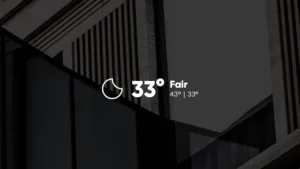
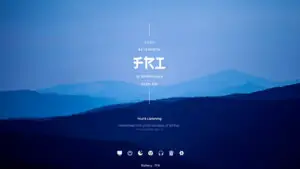
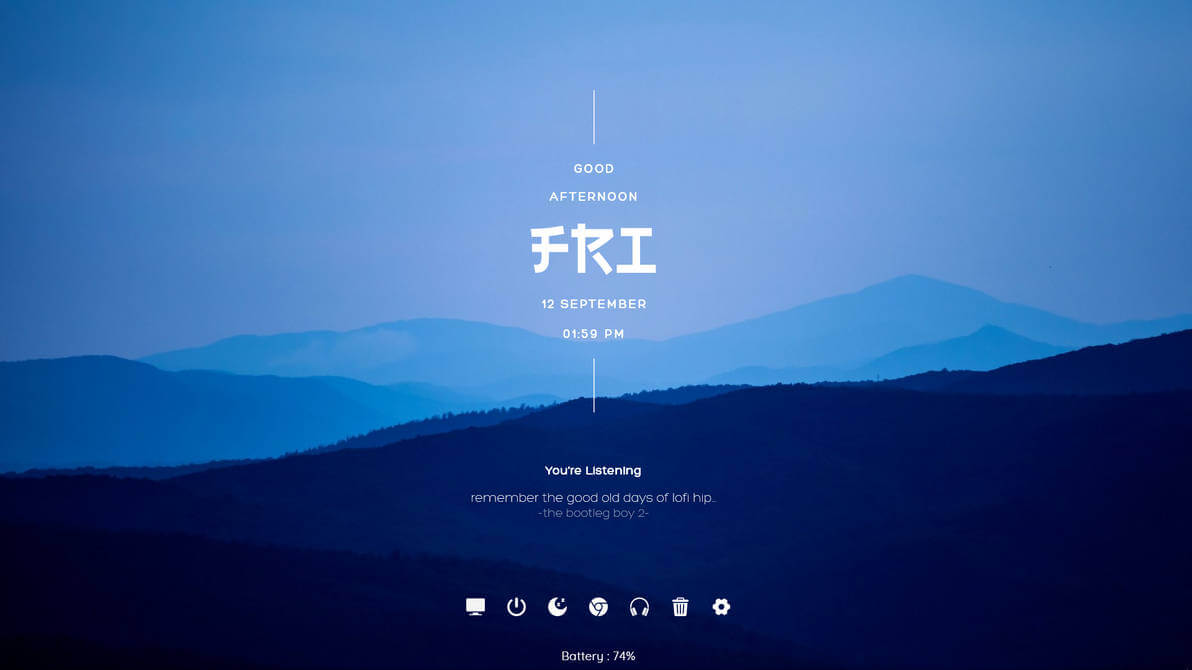
Give your Windows desktop a clean and modern look with Summit Rainmeter Skin. Created by aohiocawhda, Summit is a minimal and elegant Rainmeter setup designed to add useful desktop information without making your screen feel cluttered.
With its clean visual style and customizable settings, Summit is a great choice for anyone looking to create a sleek Windows desktop setup. The skin also supports music playback through WebNowPlaying, making it useful for both aesthetics and everyday desktop functionality.
About Summit Rainmeter Skin
Summit is a modern and minimal Rainmeter skin created by aohiocawhda. The design focuses on keeping the desktop clean while providing useful information and controls in an elegant layout.
One of the best things about Summit is its customization options. The skin’s main settings can be adjusted through the Variables.inc file located inside the skin’s @Resources folder. This allows you to personalize different aspects of the setup without having to edit every individual skin file.
Summit can also be used with WebNowPlaying to display and control information from supported music players. If you use a web-based music service, the WebNowPlaying browser extension may also be required.
The original Summit release was published on DeviantArt on September 12, 2025 and is available from the creator’s page.
Minimal & Modern Design
A clean layout that works well with minimalist and aesthetic Windows desktop setups.
Elegant Interface
Carefully designed elements help keep useful information visible without overwhelming your wallpaper.
Customizable Settings
Adjust the skin through the Variables.inc file located in the @Resources folder.
Music Player Support
Works with WebNowPlaying for displaying and controlling music playback.
Web Player Support
WebNowPlaying can be used with supported browser-based music players when the required extension is installed.
How to Install Rainmeter Skins
Follow these simple steps to install a Rainmeter skin on Windows:
- Download the Rainmeter skin from the link below.
- Install Rainmeter if you haven’t already.
- Open your Downloads folder and locate the downloaded .rmskin file.
- Double-click the
.rmskinfile (or right-click and choose Install) to install the skin. - Open the Rainmeter Manage window by:
- Right-clicking the Rainmeter icon in the system tray and selecting Manage, or
- Right-clicking the loaded skin and selecting Manage Skin.
- From the Manage window, load, unload, or customize the installed Rainmeter skin to match your desktop setup.
Your Rainmeter skin is now installed and ready to personalize your Windows desktop.
Q What is Summit Rainmeter Skin?
Summit is a modern and minimal Rainmeter skin created by aohiocawhda. It is designed to give Windows desktops a clean and elegant appearance while providing useful desktop information and controls.
Q Is Summit a free Rainmeter skin?
Yes. Summit is distributed through the creator's DeviantArt page, where you can access the skin download. The original DeviantArt page requires you to log in to download the file. You can Download This from here by clicking "Download Skin" without logging in
Q How do I customize Summit Rainmeter Skin?
Summit's settings can be customized through the Variables.inc file. You can find it at: Documents → Rainmeter → Skins → Summit → @Resources → Variables.inc The creator specifically recommends using this file to customize the skin.
Q Does Summit support music players?
Yes. Summit can work with WebNowPlaying for its music player functionality. You need to install the WebNowPlaying skin, which also installs the required Rainmeter plugin.
Q Do I need a browser extension for WebNowPlaying?
If you want to use WebNowPlaying with a web-based music player, you also need the WebNowPlaying browser extension. The creator notes that the extension is available for Chrome and Firefox.
Q Where can I download Summit Rainmeter Skin?
Summit is available from the original creator, aohiocawhda, on DeviantArt. You can also download it from here by clicking "Download Skin" Button"
aohiocawhda
aohiocawhda is the creator of Summit Rainmeter Skin and a desktop customization artist on DeviantArt. Their work focuses heavily on clean, minimal, and visually polished desktop setups.
Alongside Summit, aohiocawhda has created several other Rainmeter and desktop customization projects, including Singularity, Sylva, Stellar, Canopy, Golden Hour, and Frieren Minimalistic Rainmeter Desktop.
If you enjoy minimal Rainmeter setups, exploring the creator's other projects is a great way to find more skins with a similar clean and aesthetic design style.