Home / Rainmeter Skins / Fountain of Colors Rainmeter Skin

Fountain of Colors Rainmeter Skin

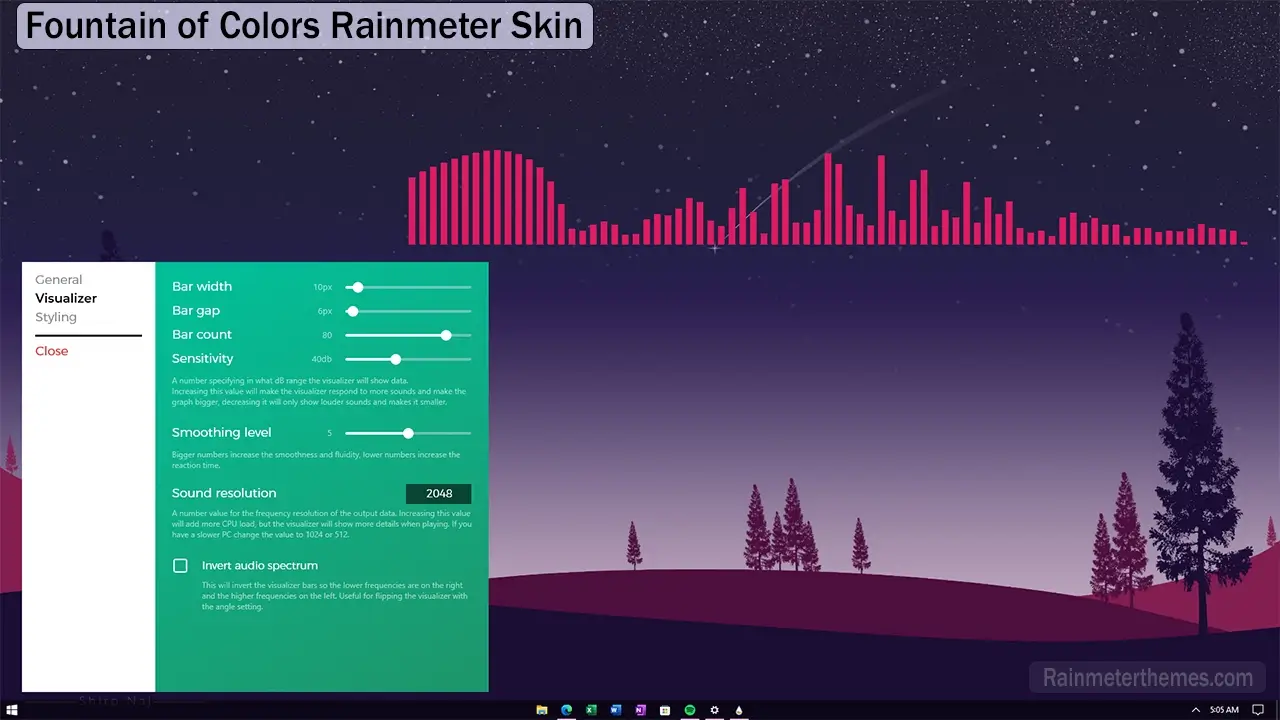
Enhance your music listening experience with this straightforward real-time FFT music visualizer. It features customizable bars and a vibrant color palette. Whether you prefer a horizontal or vertical display, you have the freedom to tailor the visualizer to your liking. Adjust parameters such as bar width, height, angle, sensitivity, and even set your desired maximum and minimum frequency ranges. With this tool, enjoying music on your computer has never been more enjoyable and immersive.

Credits & Author: alatsombath

Included Widgets / Features

  • Visualizer Widget

How to Install Rainmeter Skins

Follow these simple steps to install a Rainmeter skin on Windows:

  1. Download the Rainmeter skin from the link below.
  2. Install Rainmeter if you haven’t already.
  3. Open your Downloads folder and locate the downloaded .rmskin file.
  4. Double-click the .rmskin file (or right-click and choose Install) to install the skin.
  5. Open the Rainmeter Manage window by:
    • Right-clicking the Rainmeter icon in the system tray and selecting Manage, or
    • Right-clicking the loaded skin and selecting Manage Skin.
  6. From the Manage window, load, unload, or customize the installed Rainmeter skin to match your desktop setup.

Your Rainmeter skin is now installed and ready to personalize your Windows desktop.

💬 Comments 0

Discussion

No comments yet. Be the first to share your thoughts!