How to Give Your Windows Desktop a Clean & Professional Look
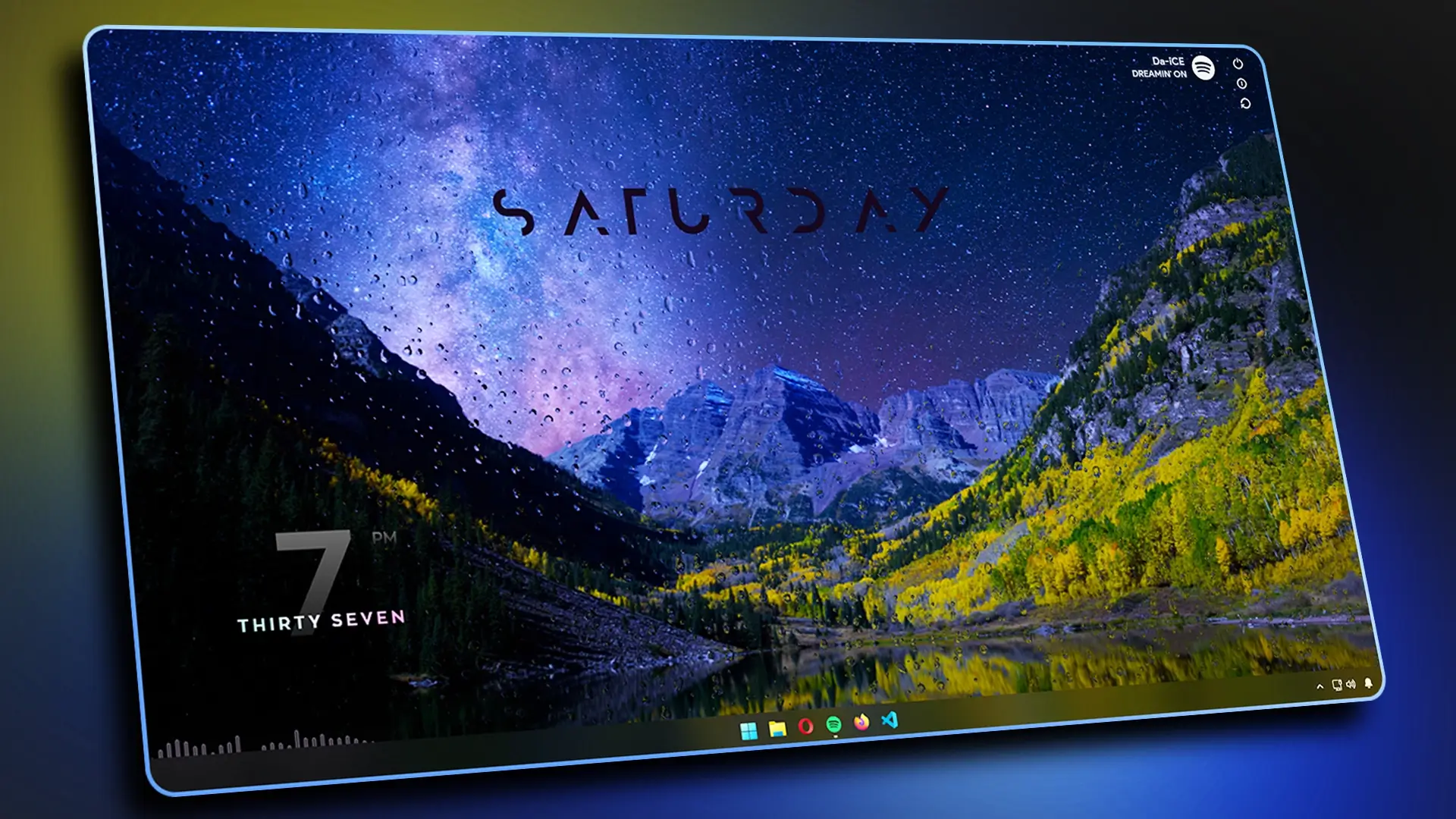
Want to transform your Windows desktop into a minimal, professional, and distraction-free setup? In this guide, I’ll show you step by step how to create a clean and modern Windows desktop look using Rainmeter skins, Lively Wallpaper, and TranslucentTB.
This setup is ideal if you want a fresh workspace for 2026 that strikes a balance between style and productivity. We’ll use elegant Rainmeter widgets like Decision, Mond , Mii Power, Music Info , and Waveline Visualizer to add functionality without clutter.
Follow along with the video tutorial, or use the resources below to customize your own desktop.
Theme File and Required Tools :
Theme File
Rainmeter
Translucent TB
Lively Wallpaper
What’s Included in the Theme File?
- Wallpapers
- Fonts for Rainmeter Widgets
- Rainmeter Skins (Clock, Visualizer, Power, and Music Info Skins)
1. Clean Up Your Desktop
- Hide unnecessary desktop icons and taskbar icons to create a clean base.
2. Install the Theme File
- Download the Theme File.
- Extract the zip file to your computer.
3. Set Up Wallpaper
- Install Lively Wallpaper.
- Import the wallpaper from the theme file and configure it for a smooth background look.
4. Install Rainmeter
- Install Rainmeter (latest version).
- Unload all default skins to start fresh.
- Transfer the Rainmeter skins from the theme file into the Rainmeter Skins folder.
- Open Rainmeter and load each skin:
- Decision Clock
- Monday Day Clock
- Mii Power
- Music Info (Spotify)
- Waveline Visualizer
- Arrange them neatly according to the theme preview.
5. Customize the Taskbar
- Install TranslucentTB from the Microsoft Store.
- Configure it to Acrylic mode for a professional transparent taskbar effect.
Conclusion
After following these steps, your desktop will have a minimal, modern, and 2025-ready look – with clean widgets, an animated wallpaper, and a sleek acrylic taskbar.





hi