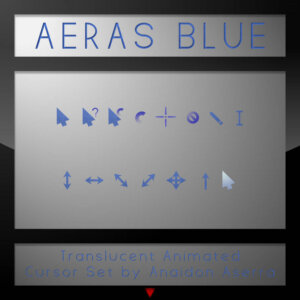
Aeras Blue Cursor for Windows is a sleek and modern cursor pack designed to give your desktop a clean, minimal, and futuristic feel. Created by Anaidon Aserra, this cursor set stands out with its semi-transparent blue design, making it perfect for users who love subtle yet stylish UI customization.
This cursor pack includes a complete set of 15 primary cursors along with 7 bonus variations, covering everything from normal select to busy animations and resizing indicators. Some cursors are smoothly animated, adding a dynamic touch to your everyday workflow, while others remain static for clarity and precision. The translucent effect blends beautifully with any wallpaper or desktop theme, making it ideal for aesthetic setups and productivity-focused environments.
One of the biggest highlights of the Aeras Blue Cursor is its balance between visibility and minimalism. The soft blue glow ensures the cursor is easy to track without being distracting, which is perfect for long usage sessions. It’s also lightweight and optimized for Windows, ensuring smooth performance without lag.
Overall, Aeras Blue Cursor for Windows is a perfect choice for anyone looking to upgrade their desktop with a modern, elegant, and professional-looking cursor theme.